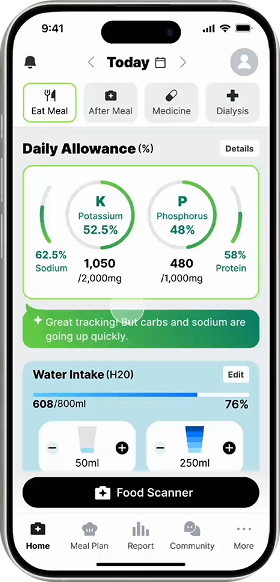
AI-driven meal tracking and personalized support for kidney and diabetes management.
My Role
Research
Interviews
Wireframe
Design System
Prototype
Usability Test
Team
2 Product Designers
Tools
Figjam & Figma
Gemini 2.5
Chat GPT 5
Google Sheets
Procreate
Duration
Aug - Oct 2025
(12 Weeks)
Overview
Problem
Patients with chronic kidney disease face complex dietary restrictions, especially when diabetes is also involved. However, existing tools rarely help patients understand whether a specific meal is safe for their condition. This gap makes daily meal decisions stressful and uncertain.
How might we make chronic disease management easier and more consistent?
Main Feature
Solution
Building Confidence in Self-Managed Kidney Care with AI-Powered Nutrition Guidance.
Flow 1
Auto-logging dinner with before & after Food Scanner
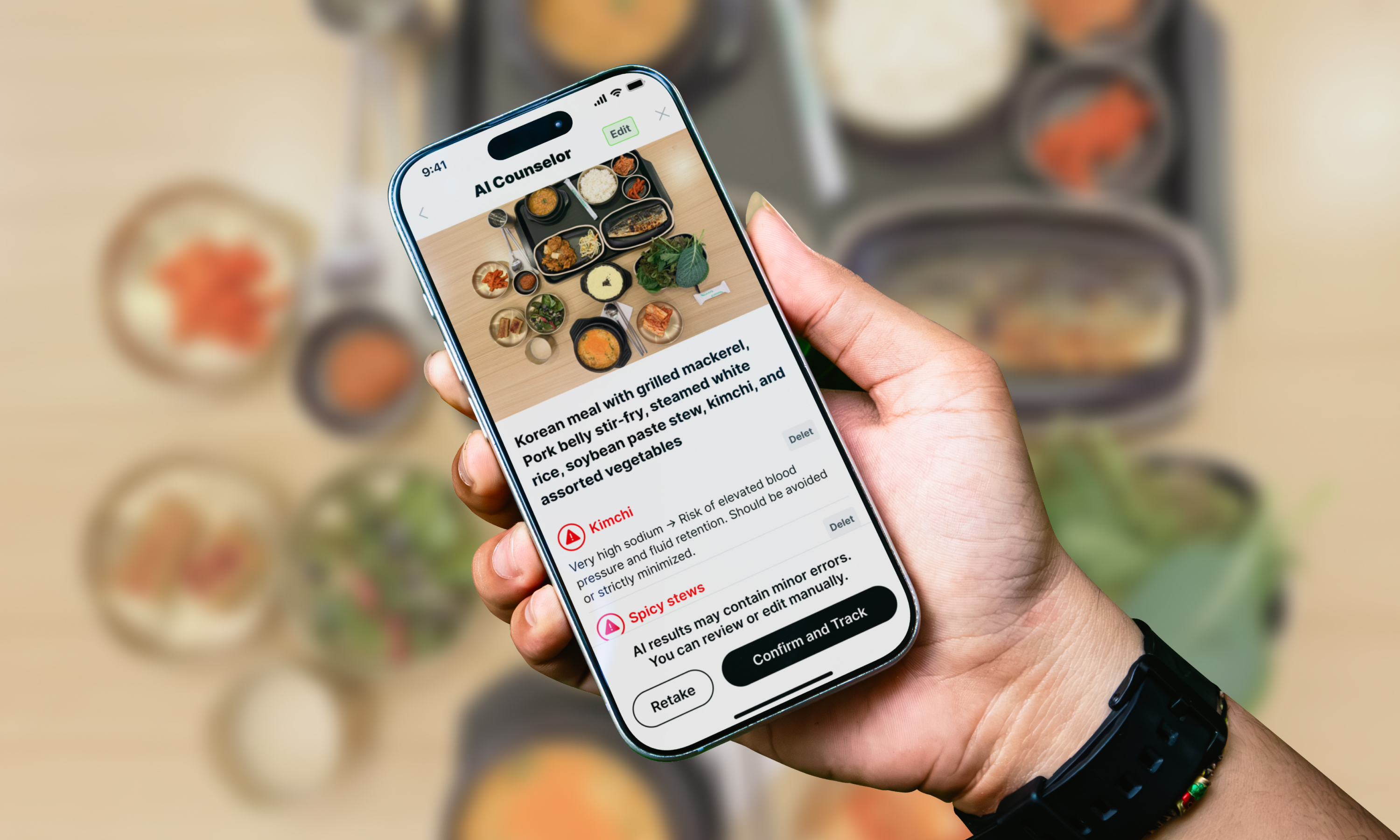
Centered on an AI Food Scanner accessed from the Home CTA, Kidney Mate analyzes before & after-meal photos to estimate intake, calculate key nutrients, and deliver real-time feedback.
Flow 2
Reviewing past data and stored alerts
All food logs, AI insights, and key nutrients are automatically saved and displayed by date in a color-coded calendar, while medication reminders, dialysis schedules, and alerts are centralized on the Home screen.
Flow 3
Manually correcting AI-generated entries in Intake Info
To ensure accuracy, users can edit or add meals when needed. The Home meal log supports multiple items over time with editable food details, combining AI auto-logging with manual input.
Flow 4
Exploring recommended healthy meals and checking recipes
The Meal Plan provides a personalized weekly diet that resets every Monday and adapts to both AI and manually logged data, offering tailored meals, nutrient insights, and flexible meal options.
Flow 5
Discovering Healthy Dining Options Nearby
To support safe dining out, Explore Restaurants is added to the Meal Plan as a fixed CTA, allowing users to search and filter both kidney and diabetes friendly menus nearby for worry-free choices.
Flow 6
Viewing synced lab results and exploring the community
The Report syncs hospital data to display lab results by date through simple trend views and detailed charts, and summarizes daily nutrient intake. The Community offers peer support among patients.
Design Process
Empathize
What challenges do CKD patients face in daily self-management?
* CKD : Chronic Kidney Disease
Secondary Research
Understanding the Challenges of Kidney Failure Patients
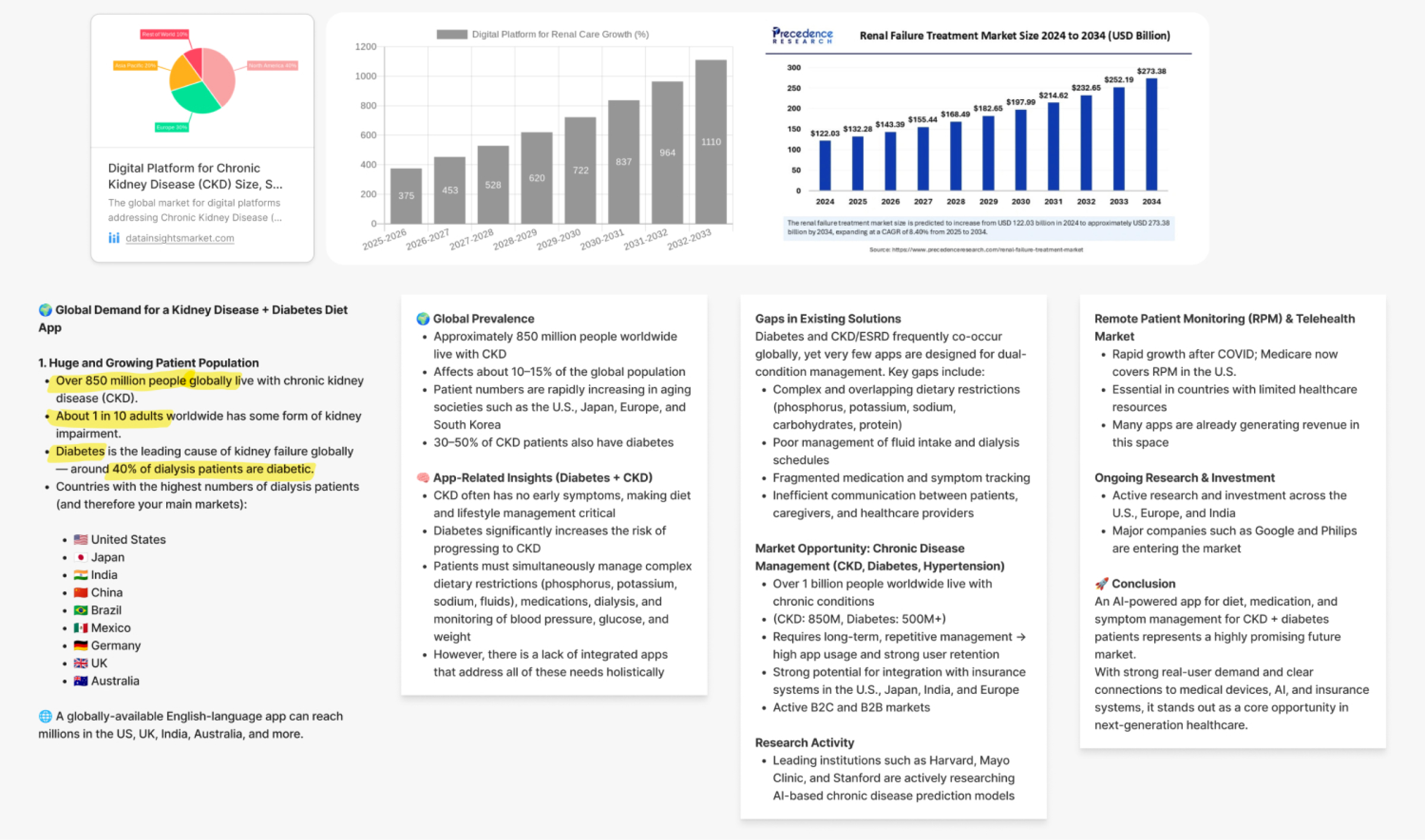
To understand CKD patients’ challenges and unmet needs in existing health apps, we conducted secondary research including AI-driven market, trend, and technology analysis (Delft CKD AI Research, KHS 2025), along with competitive benchmarking of connected health and diet management apps.
.jpg)
.jpg)
Benchmarking (kidney and diabetes management, diet, and fitness apps)

Emerging AI trends in healthcare at KHS 2025
Hypothesis from Secondary Research
Personalized diets are challenging
Patients have different conditions, making it hard to know how healthy their nutrient intake is for them.
Limited Supply of Kidney Health Apps
Despite strong demand, kidney patients lack specialized care apps compared to the abundant diet and diabetes app market.
1:1 In-Depth User Interviews
Deep dive into patient pain points in diet management and kidney apps
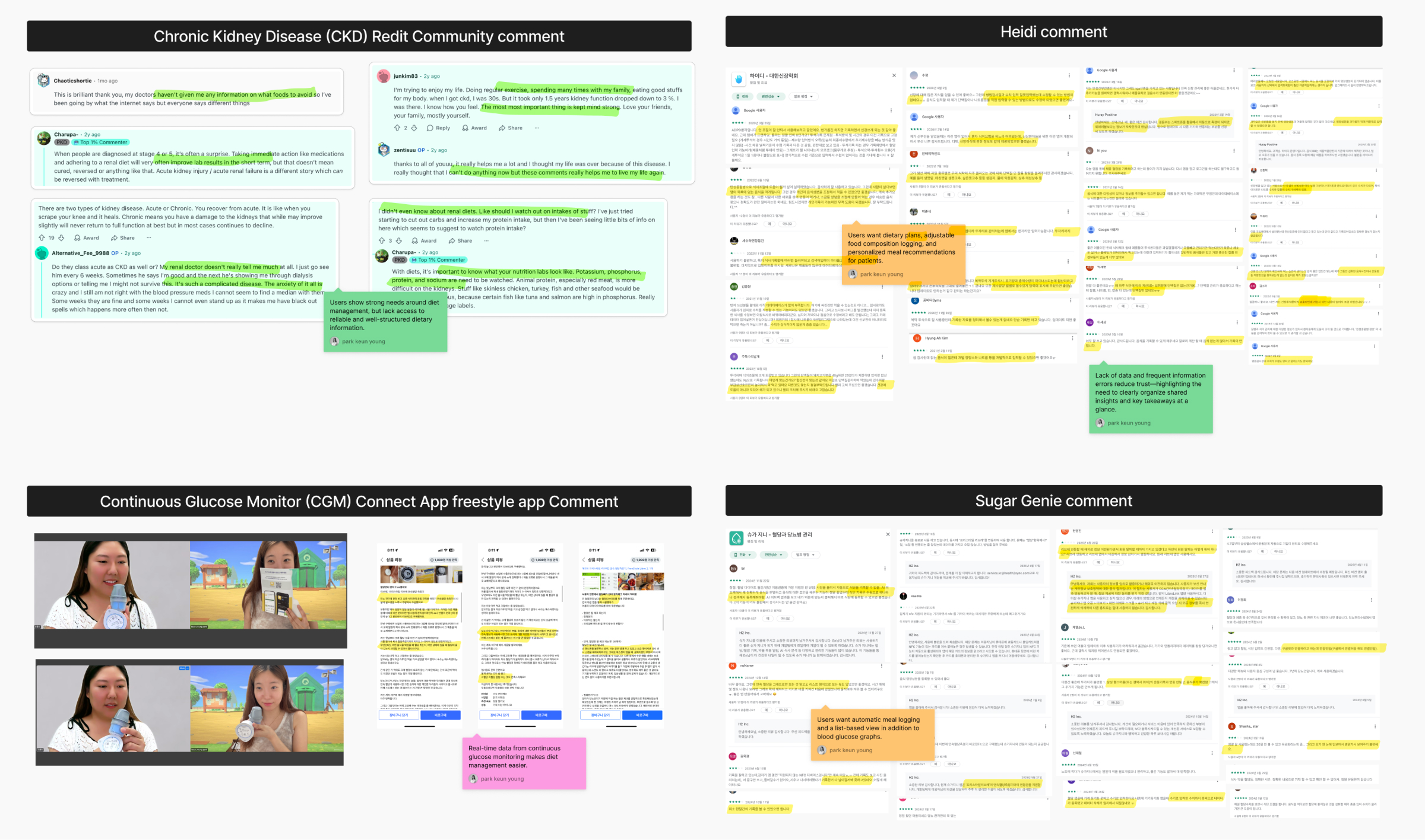
To deepen our understanding of dietary challenges and limitations of kidney apps identified in secondary research, we conducted anonymous phone interviews with 9 participants from a kidney disease community. We extracted 95 insights and synthesized them into 11 categories and five key themes through affinity mapping.
[Participate]
9 participants aged 30 – 60 : Dialysis patients (3), Kidney transplant patient (1), Diabetes patients (2), Caregiver (1), Renal-friendly meals startup founder (1), Dialysis unit medical staff (1)
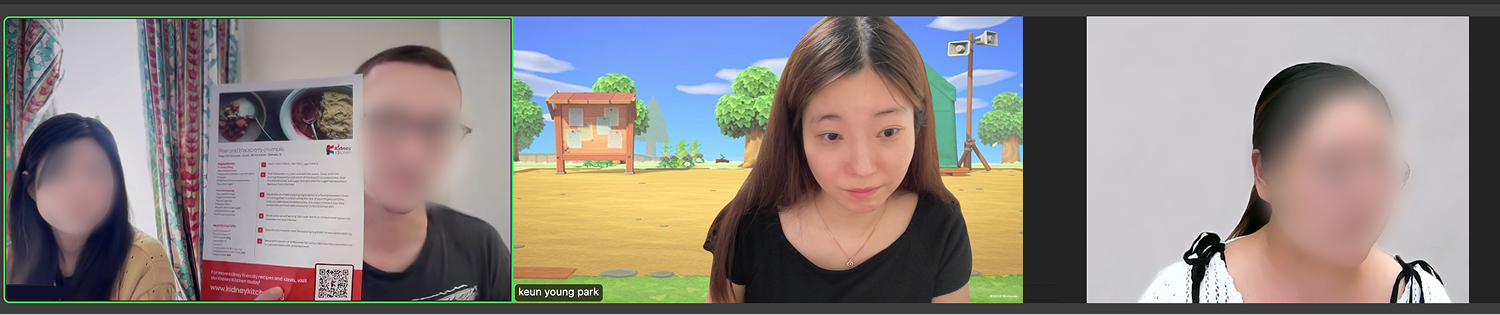
Interview sessions with a dialysis nurse who consented to being recorded
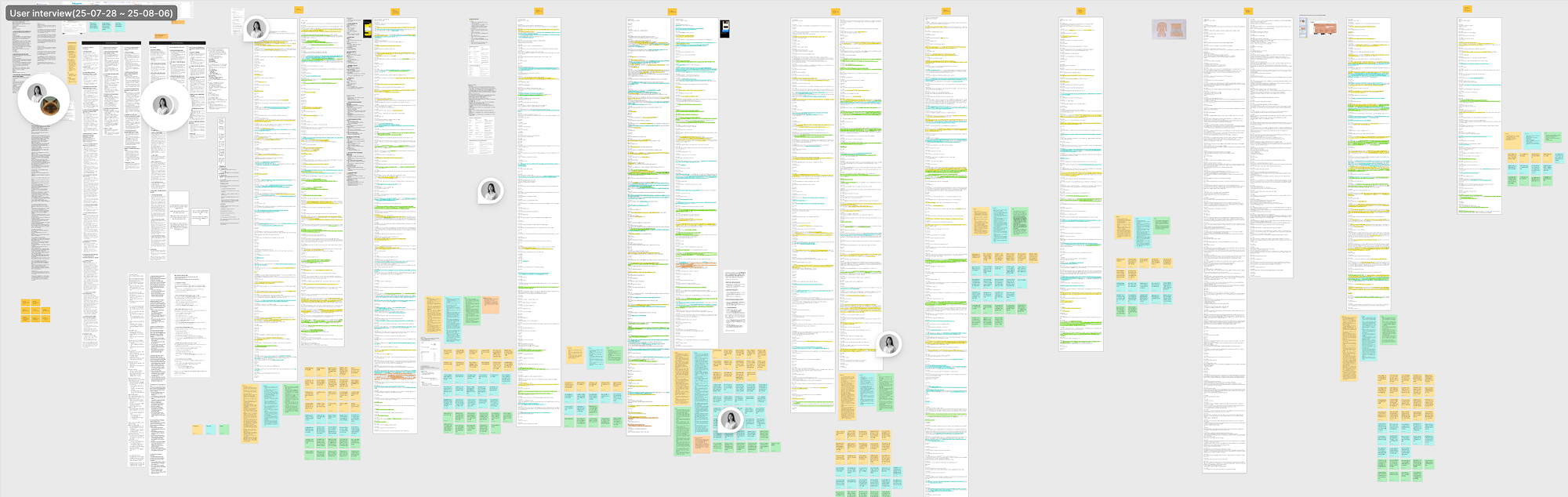
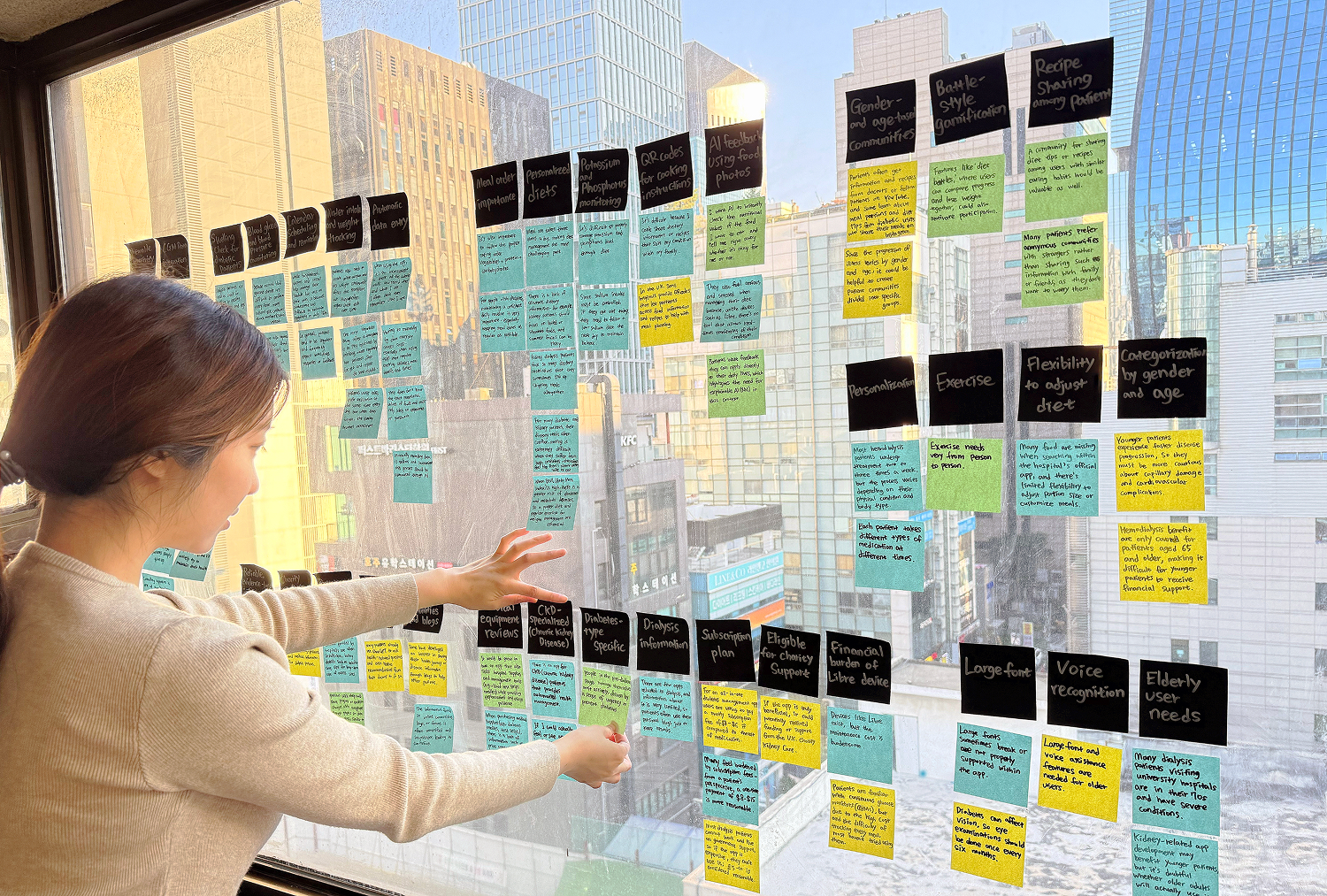
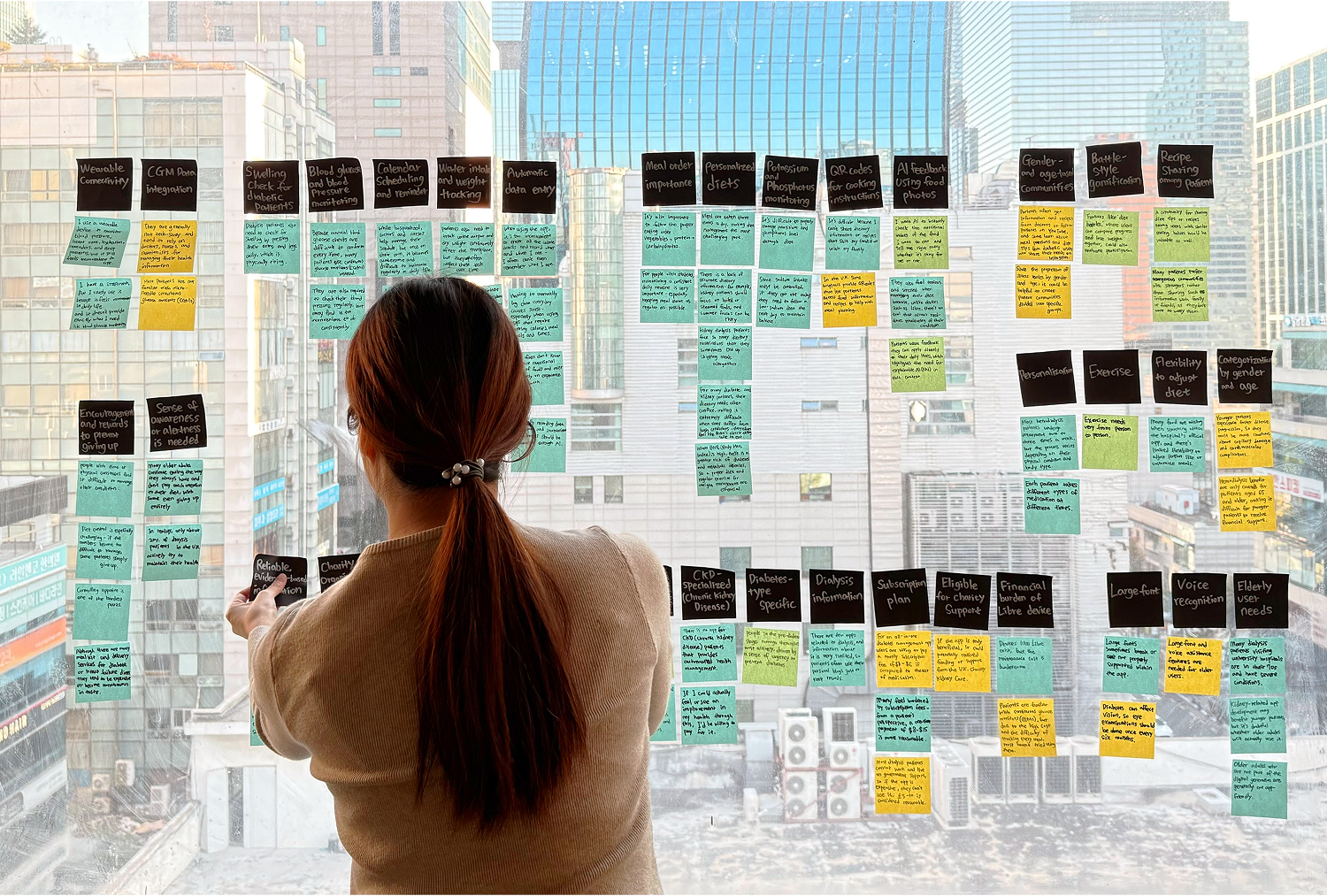
Key Insights from 1:1 In-Depth User Interviews
Complex diets and challenging self-management
The complexity of managing care and dietary rules creates significant cognitive and emotional burden.
Lack of Personalized and Accessible Support
Current solutions lack personalized, user-friendly support, limiting long-term engagement, especially for older users.
Define
Defining the Core Self-Management Challenges for Kidney and Diabetes Patients
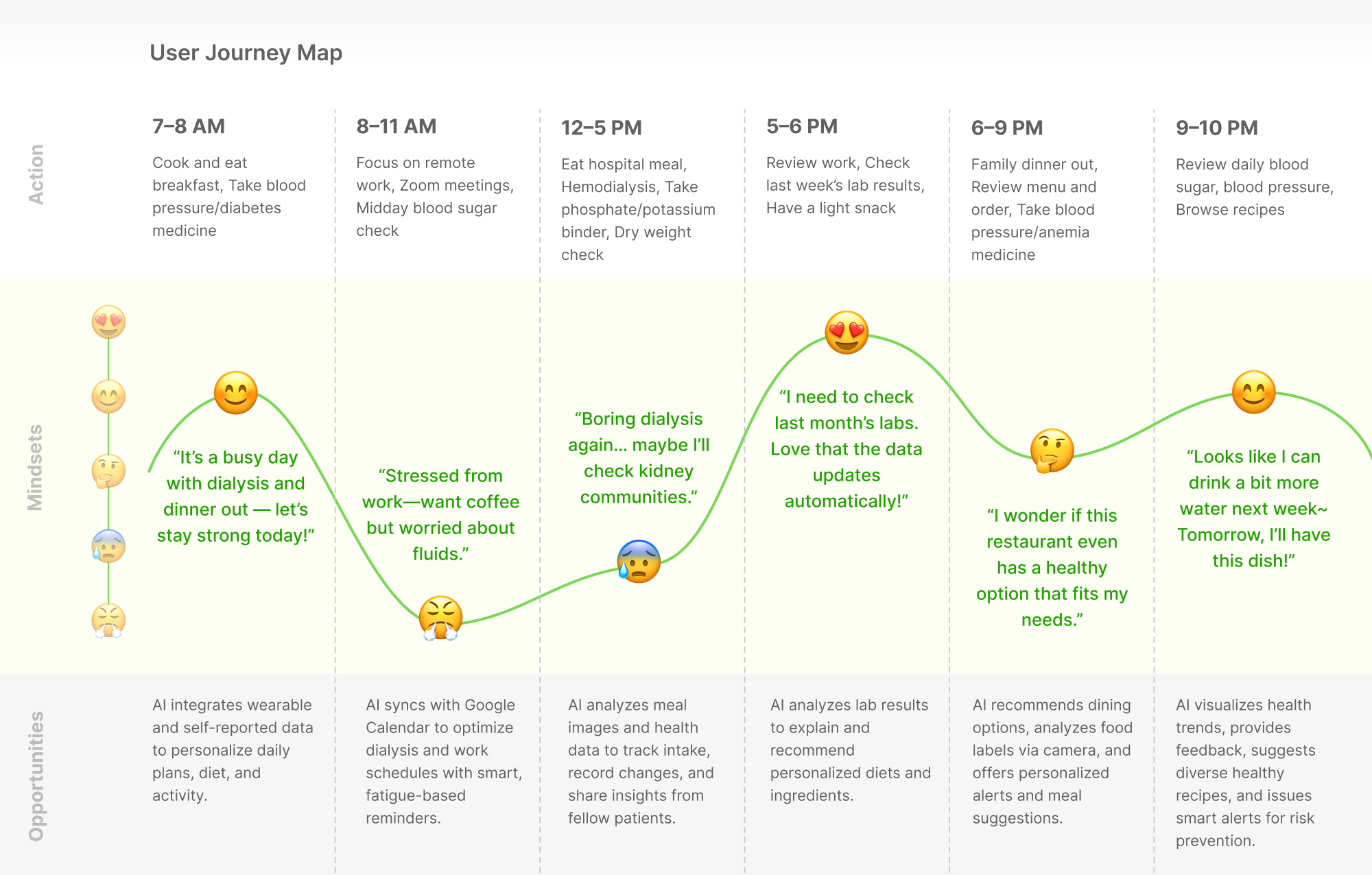
User Persona · Journey Map
Defining a Primary Persona for Kidney and Diabetes Care
Grounded in interview insights, we defined David Miller as a persona to prioritize kidney patients while supporting diabetes users, and used a journey map to identify key moments for meaningful app support.

“My diet keeps changing, and I’ll need to keep tracking everything even after transplant. I just want an easier way.”
David Miller (56)
Diagnosis : Chronic diabetes with end-stage renal disease (ESRD) on hemodialysis.
He manages both diabetes and chronic kidney disease, making dietary decisions complex and stressful, while strict restrictions and dialysis fatigue limit the value of single-disease health apps.
GOALS
· Maintain stable health until kidney transplant.
· Follow a diet suited for both diabetes and kidney disease.
FRUSTRATIONS
· Lacks tools that adapt food data for kidney disease.
· Needs a new diet balancing diabetes and kidney restrictions.
Problem statement · HMW
Reframing the Problem into a Design Question
Users managing both diabetes and chronic kidney disease lack clear, reliable, and integrated guidance to confidently manage complex dietary and health decisions long term.
How might we make chronic disease management easier and more consistent?
Ideate
Exploring Ways to Turn Data Logging into Personalized Nutrition Insights
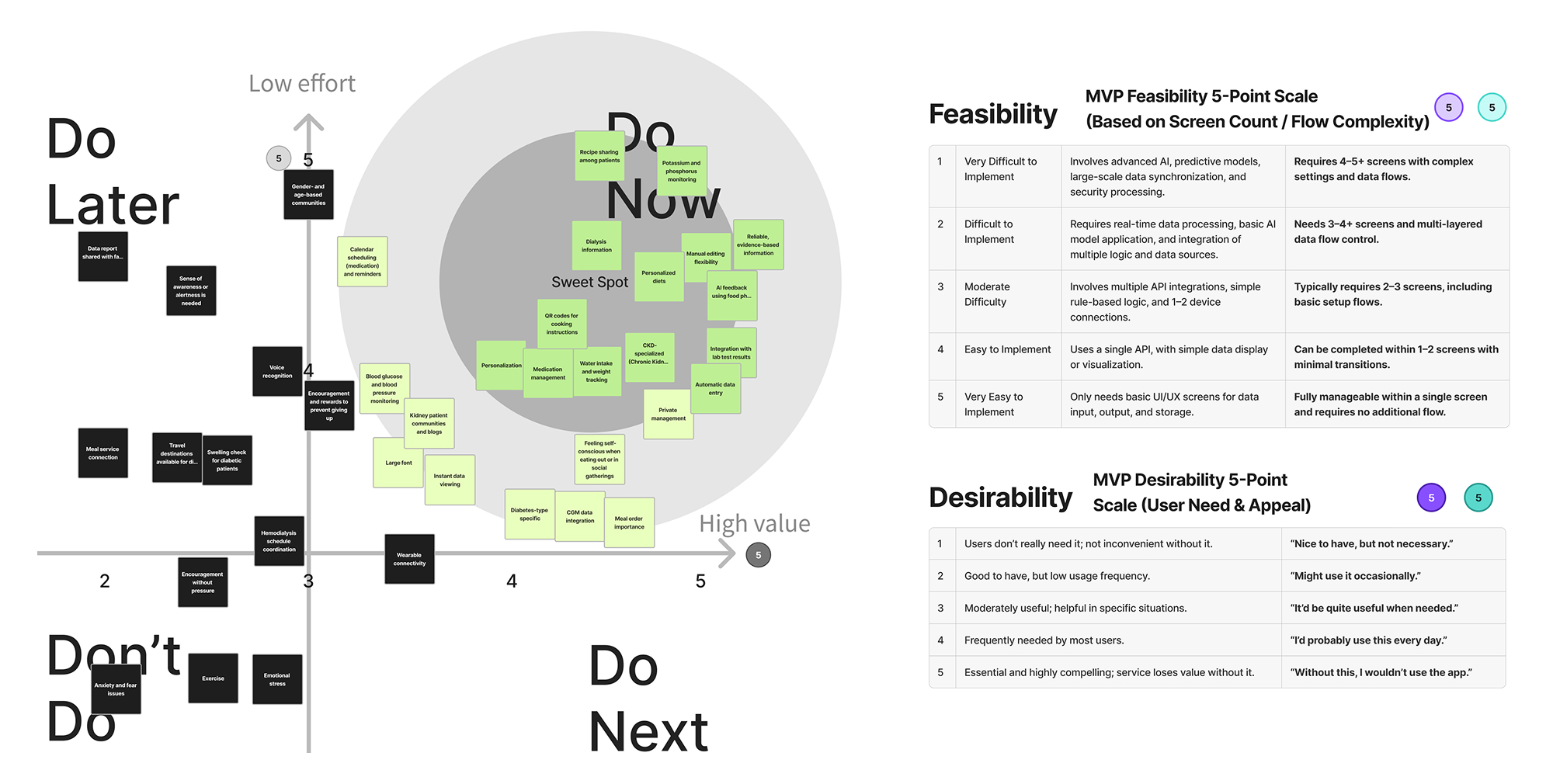
Impact–Effort Matrix
Prioritizing Do-Now MVP Items for Key Kidney Patient Needs
Using team voting and an Impact–Effort matrix, we selected Do-Now items that were most needed by kidney patients and quick to resolve to support an efficient MVP phase.
Navigation Concept
Shaping Navigation Strategy Grounded in Patient Experience
Based on the prioritized MVP problems, we translated David’s dietary challenges into a usable experience and designed navigation around his core behavior flow.
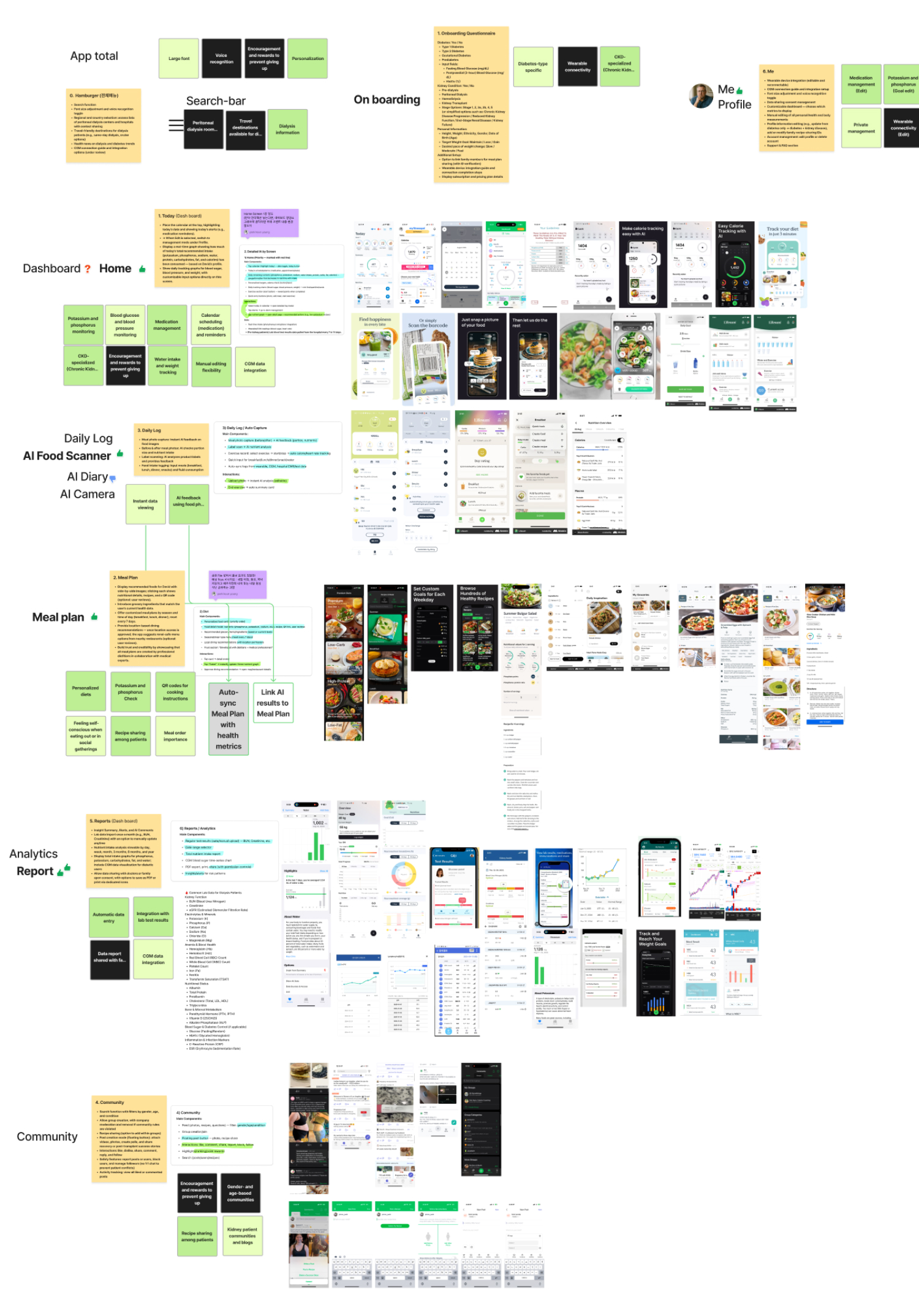
Strategy_01
Reduce tracking friction with AI-assisted input
Automatic food and fluid logging from meal photos, with manual editing options
AI feedback on meals to support informed dietary choices
Smart scheduling and reminders to guide optimal meal timing
Strategy_02
Enable real-time health awareness via data
Real-time monitoring of kidney-critical nutrients and vitals (potassium, phosphorus, etc...)
Instant access to health readings for quick awareness
Integration of lab test results for a complete health overview
Strategy_03
Support sustainable eating with personalization
Personalized renal-friendly meal plans and recipes
Community features for patient connection and emotional support
Encouraging confident social dining without stress or self-consciousness
Color indicates priority : primary and secondary strategies
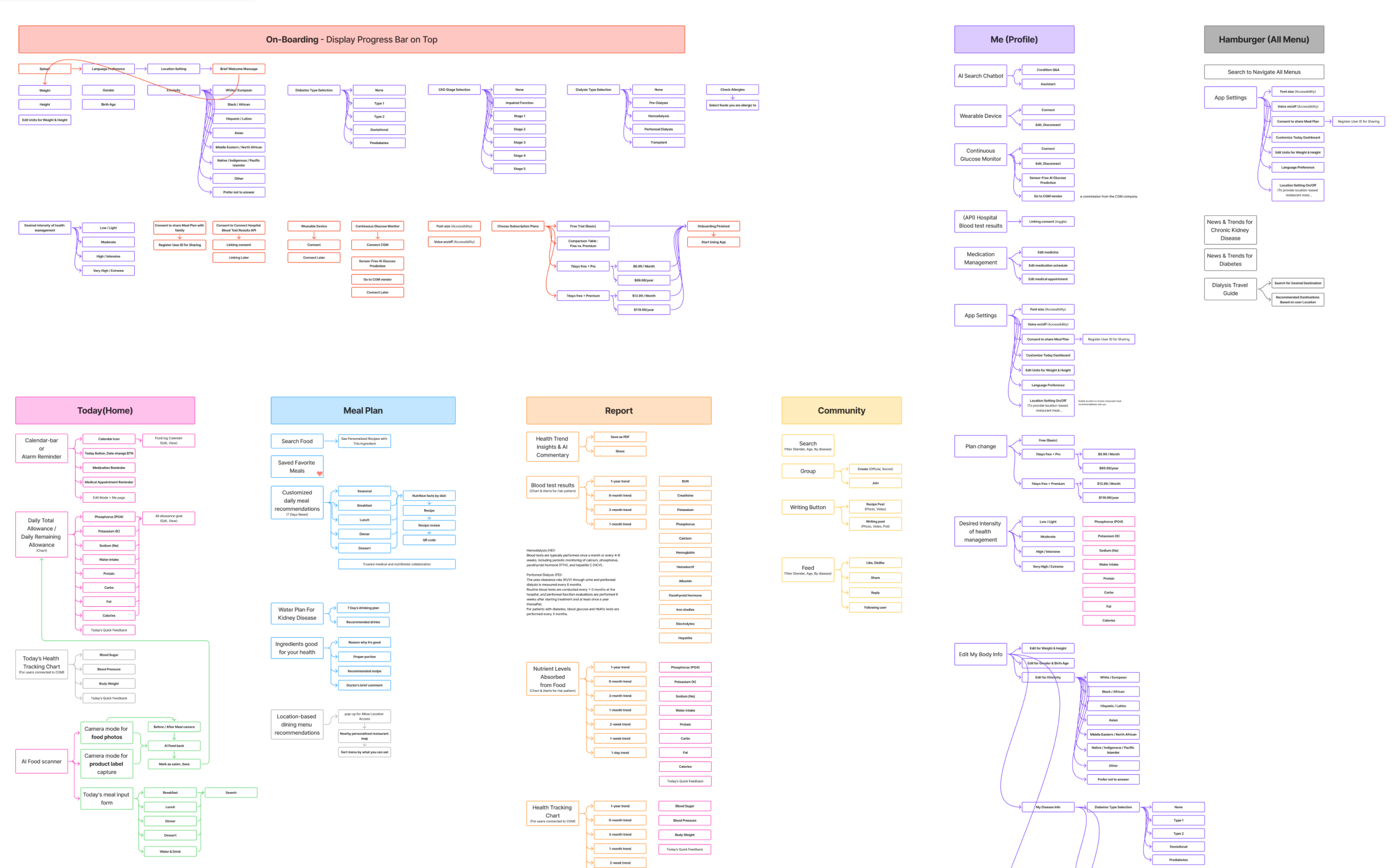
MVP Information Architecture
Optimizing AI Camera Navigation Through Information Architecture
To translate the strategy into user experience, we restructured Kidney Mate’s information architecture. By prioritizing the AI Camera as the primary CTA, we reduced navigation complexity and improved access to core MVP features.
Task Flow
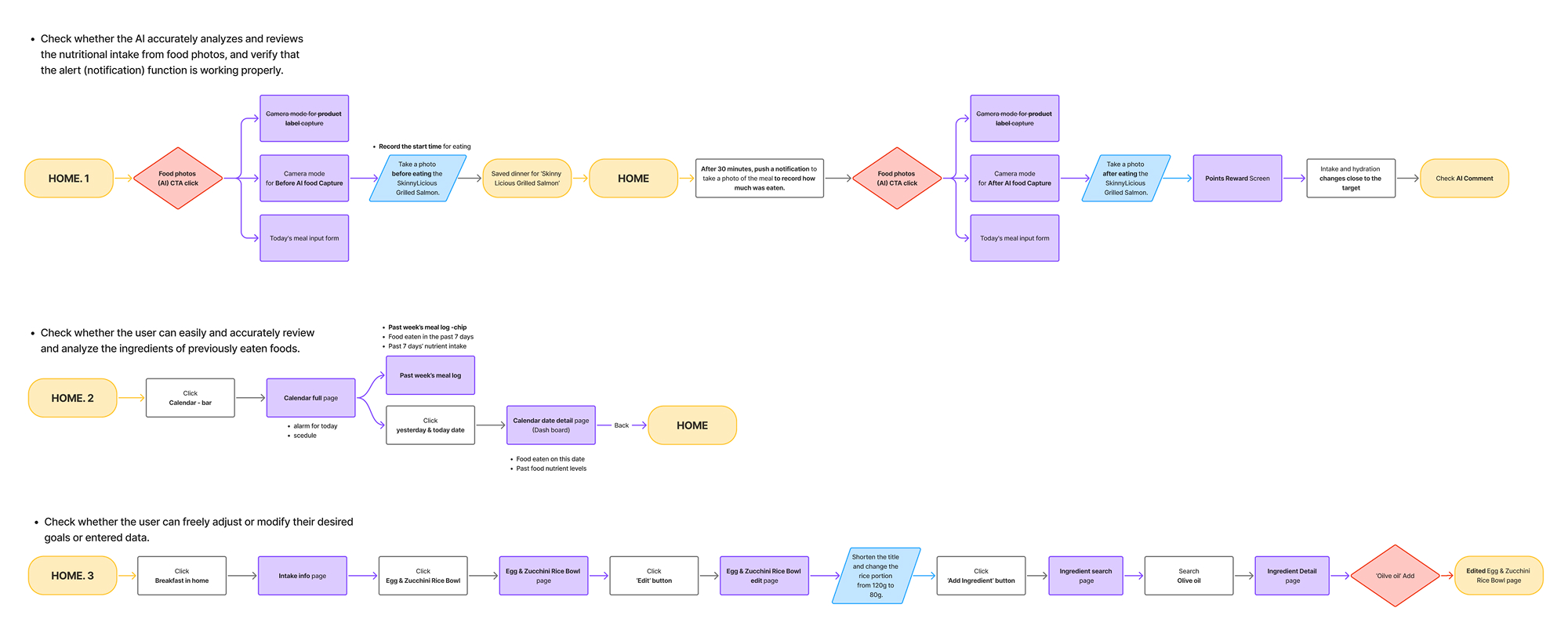
Designing a Flow to Validate Automatic Meal Nutrition Input
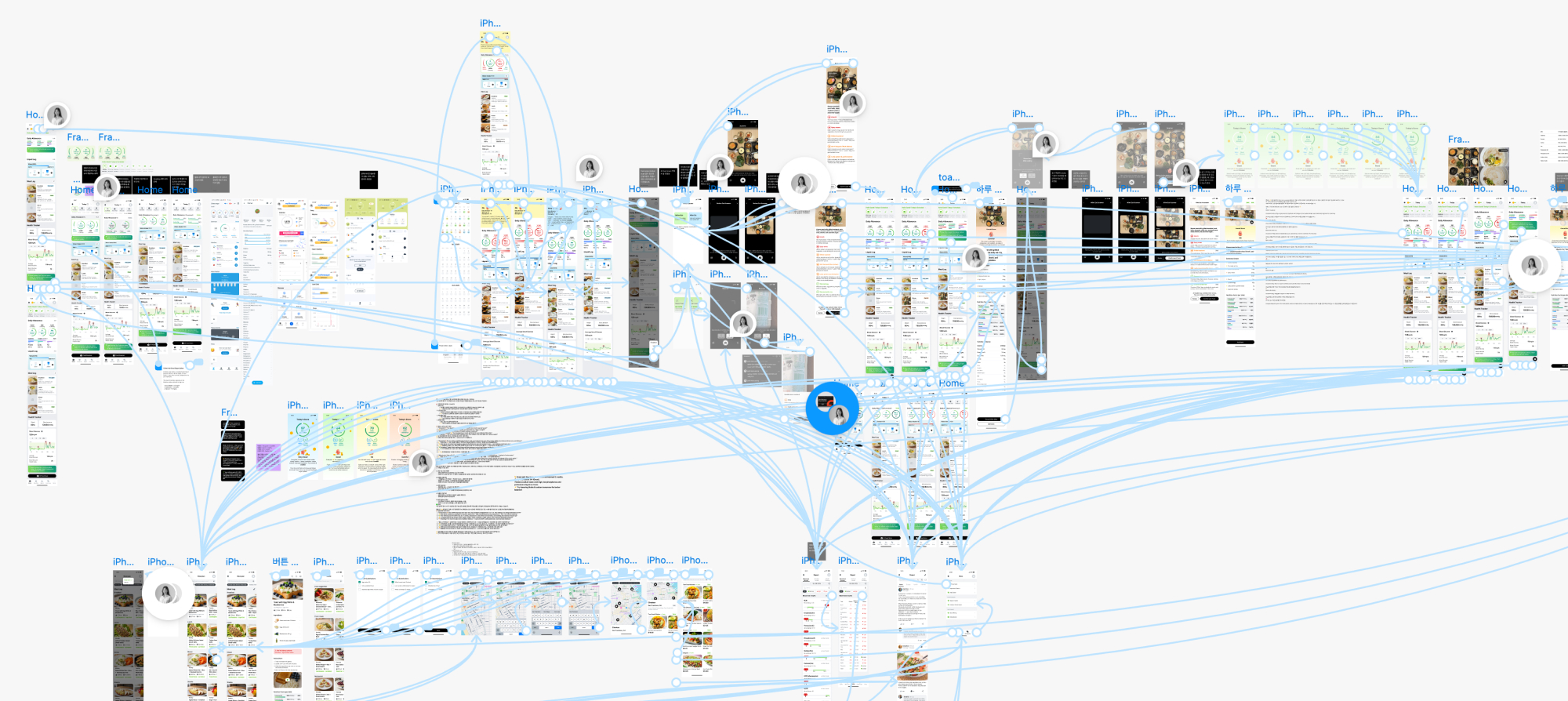
To user-test personalized nutrition insights, we designed an MVP task flow centered on log → understand → adjust → apply, connecting AI meal feedback with log review, editing, and meal checks for everyday use.

Sketch
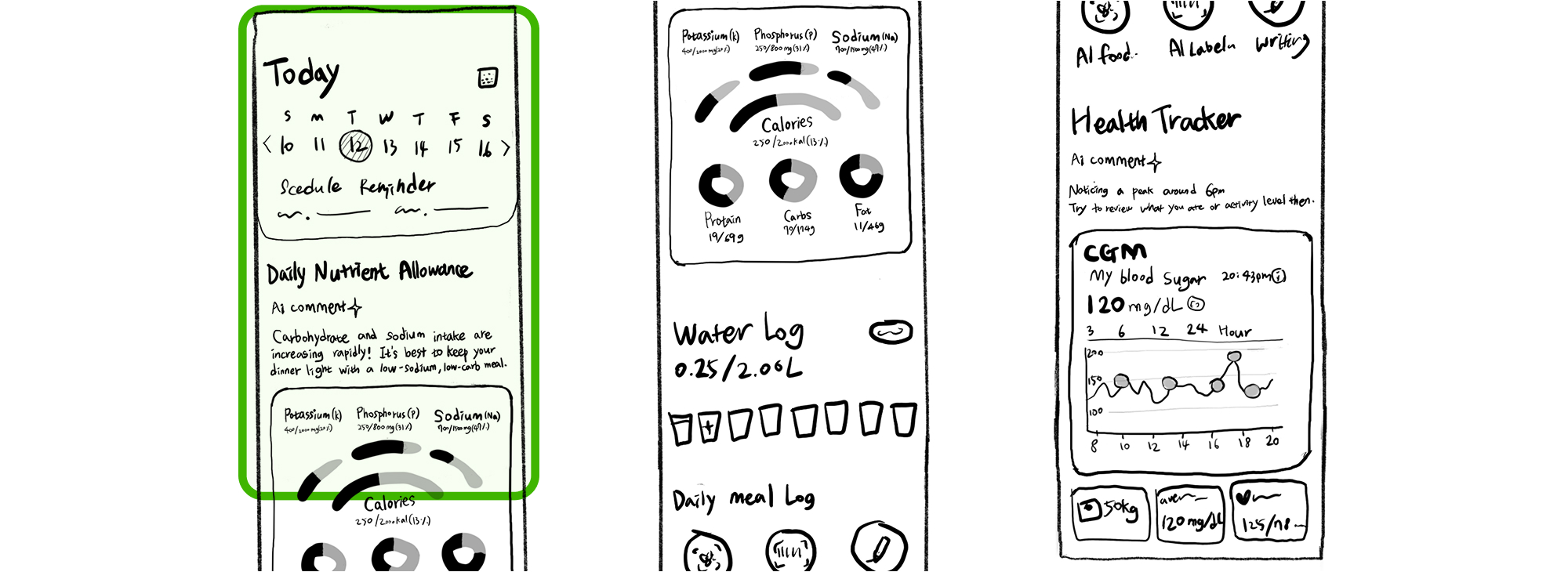
Designing a Flow to Validate Automatic Meal Nutrition Input
We sketched the home screen to validate core features, visualizing key nutrients and fluid tracking with familiar, mental-model-aligned interactions.
Home screen sketches
Prototype
Prototype & Design System Development to Validate Automatic Meal Input
Wireframe
Testing Wireframe Layouts to Reduce Cognitive Load
During sketch-based wireframing, we tested layouts to improve readability and reduce cognitive load by prioritizing key data and using selective interactions.
.jpg)
Color System
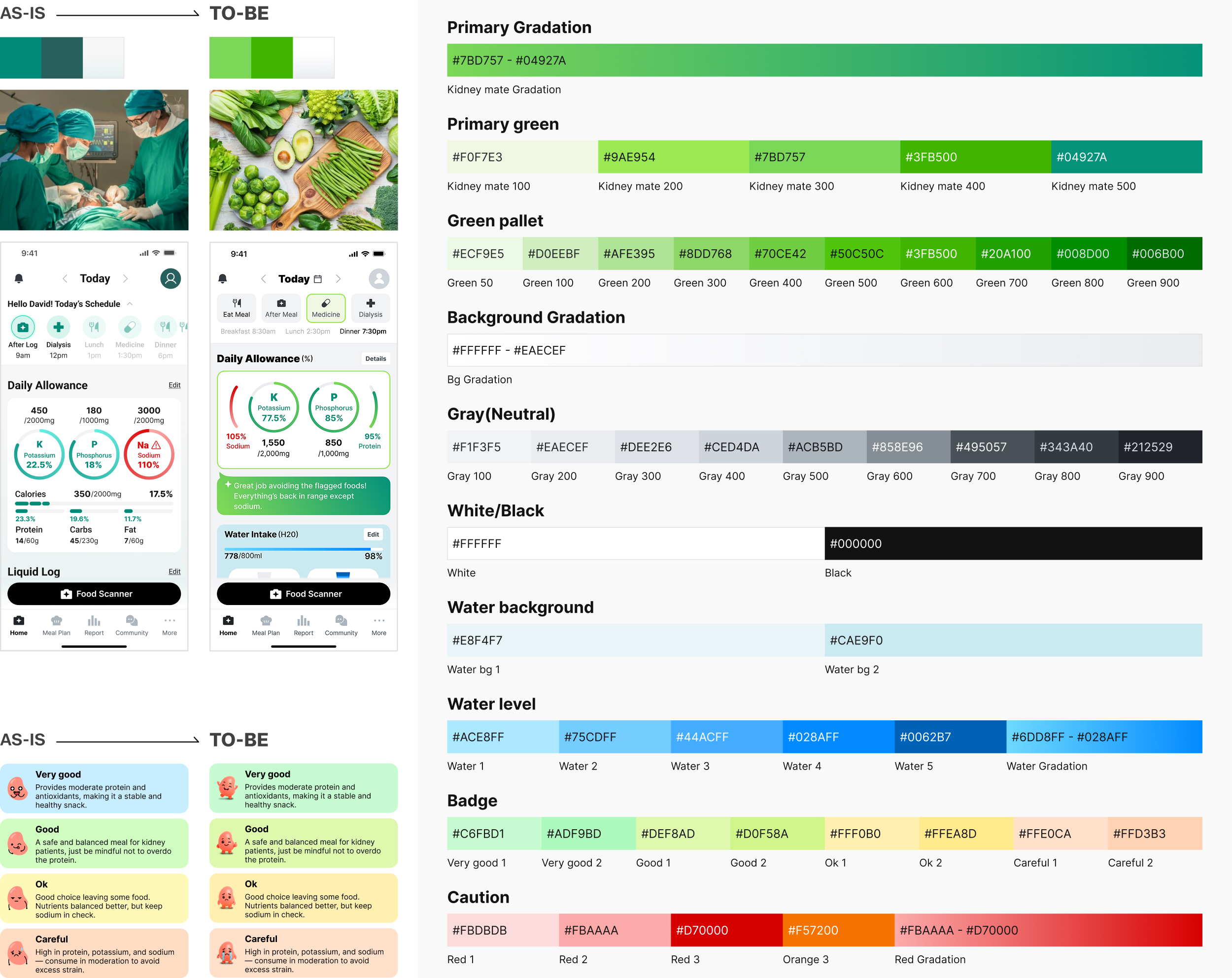
Exploring Color Combinations to Improve Information Recognition
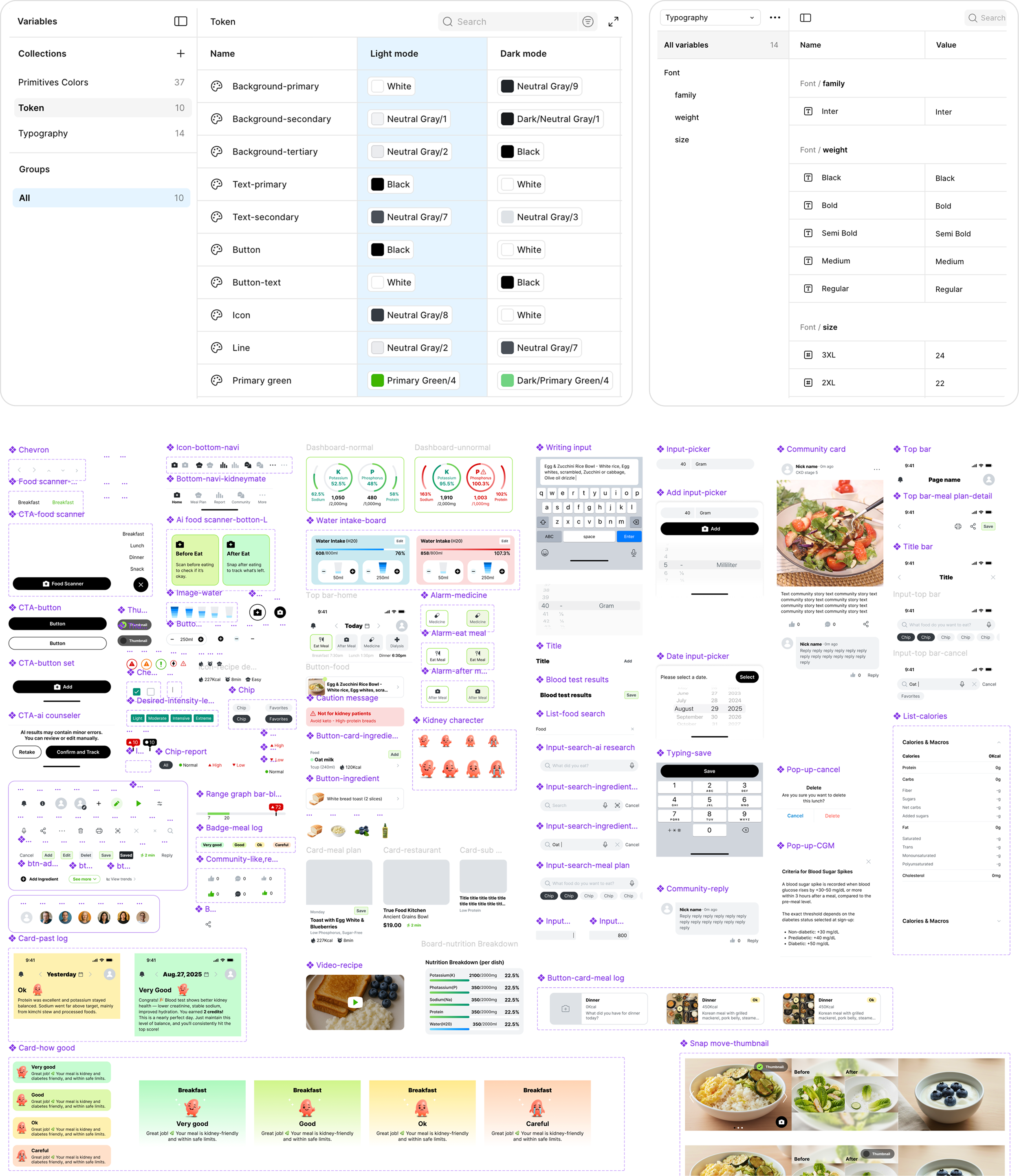
To reduce patient burden, we refined the clinical green to a warmer lime, improved contrast for clarity and accessibility, and defined color tokens.
Typography
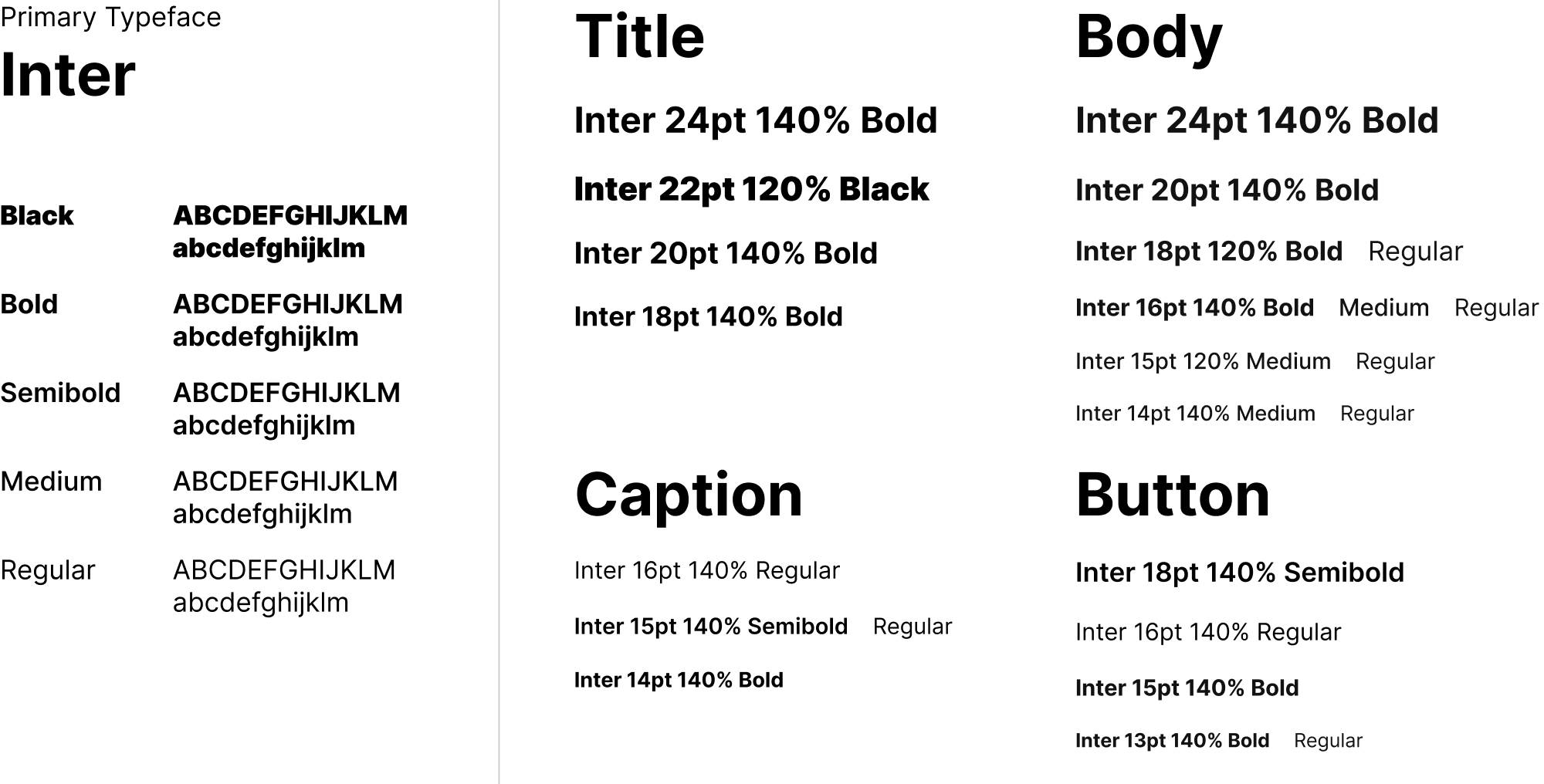
Selecting Inter font to Ensure Superior Data Legibility
To ensure accuracy and trust in a data-driven medical app, we selected Inter for its strong numeric legibility, consistent rendering across iOS and Android, and multilingual support over alternatives like Roboto and SF Pro fonts.
Typography System
Design Token & Component System
Building a Scalable Design System
We systemized colors and typography with tokens, modularized components into a reusable library, and ensured scalable UI consistency and efficient collaboration.
Test
Refining Ideas Through Iteration to Improve Clarity, Readability, and Accessibility
Usability test
UT & SUS Results Validating the MVP’s Value for Kidney Patients
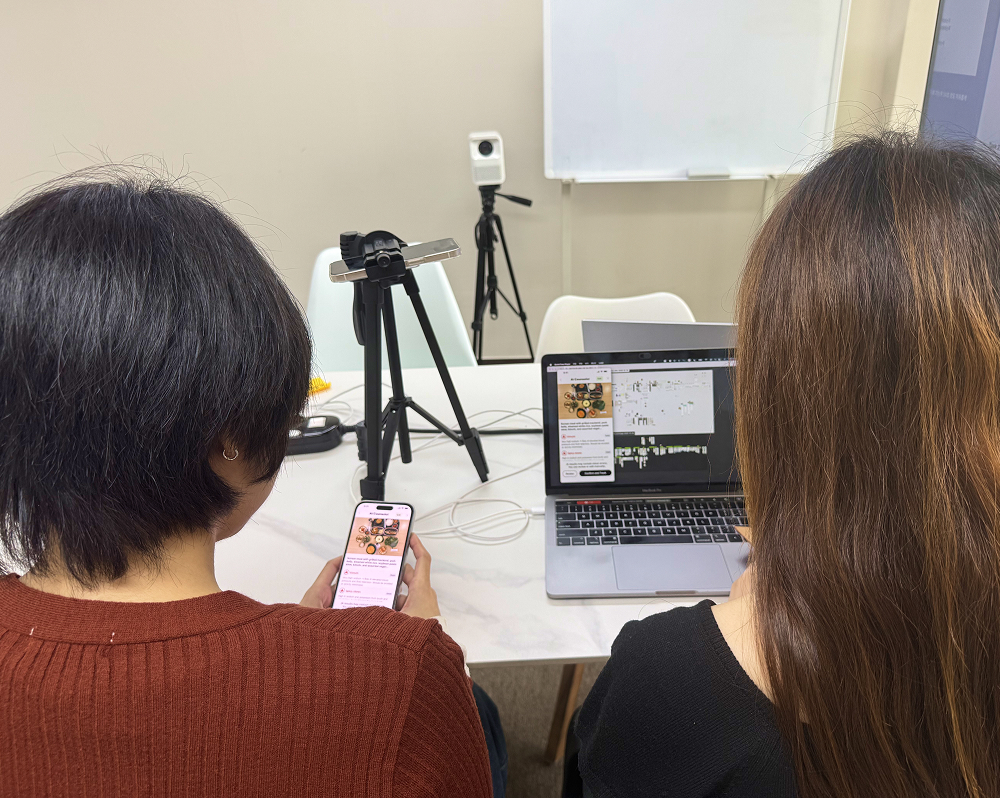
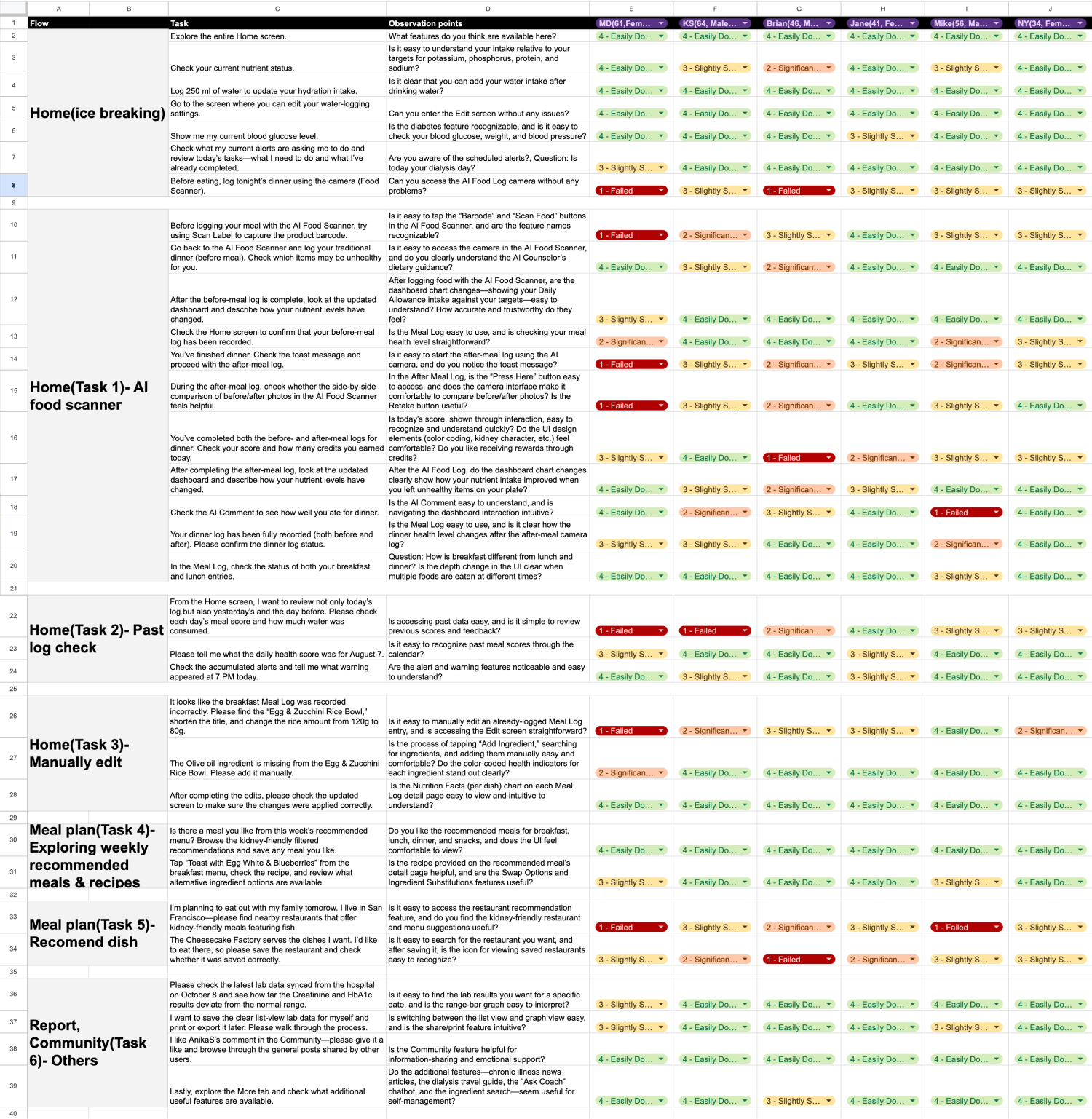
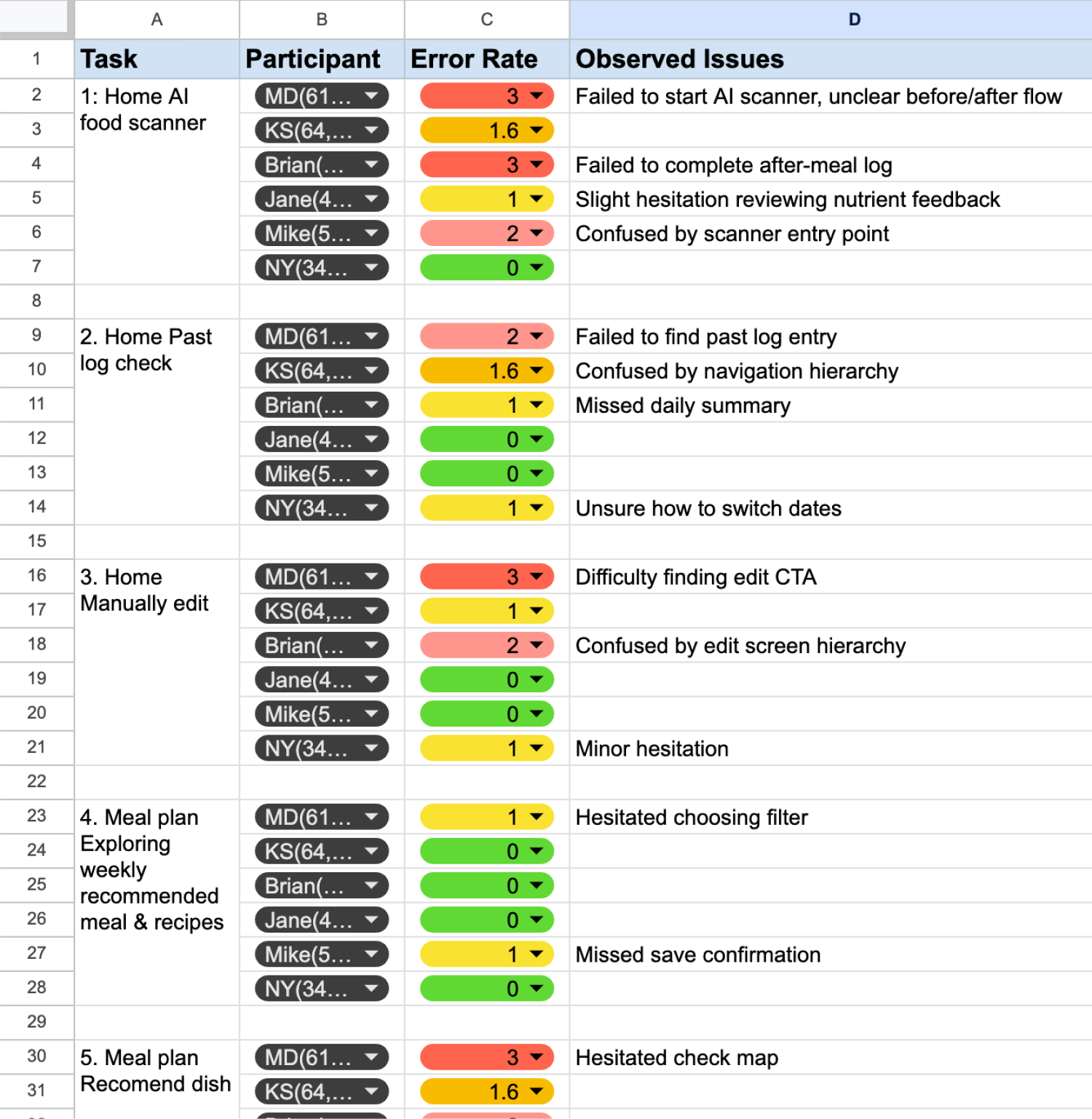
To evaluate Kidney Mate’s long-term value, we conducted task-based usability testing with both kidney patients and kidney-care–aware non-patients. Due to ethical and regulatory constraints, non-patient participants complemented patient testing. An average SUS score of 80 showed tasks were generally completable, while confusion around the after-meal flow and manual input pointed to areas for further iteration.
[Participate]
6 participants including chronic patients and general users.
[Session Length]
60 minutes per participant
[Task]
01
Home (Auto-logging dinner with AI Food Scanner)
Logging meals to assess potassium/phosphorus intake and daily dietary alignment.
02
Home (Reviewing past data and stored alerts)
Reviewing diet data and feedback from the past two days, and checking accumulated alerts.
03
Home (Manually correcting in Intake Info)
Identifying an incorrect breakfast log, shortening the title, and adding a missing ingredient.
04
Meal Plan (Exploring recommended 28 meals)
Reviewing this week’s kidney-friendly meal plan and viewing a recipe in the meal details.
05
Meal Plan (Explore nearby healthy restaurants)
Searching for kidney-friendly fish dishes nearby and opening a saved restaurant.
06
Report, Community, More
Viewing lab results in list and range-bar views, then exploring the Community and More.
[Post-Task Questionnaire]
· How did you feel when viewing the real-time nutrient dashboard?
· Did using the AI Food Camera before meals feel easy and intuitive?
· After scanning your meal, was it easy to understand its impact on your health at a glance?
· Does logging meals before and after increase your confidence in the AI’s data accuracy?
· As a kidney patient, how likely are you to continue using this app regularly?

Iteration
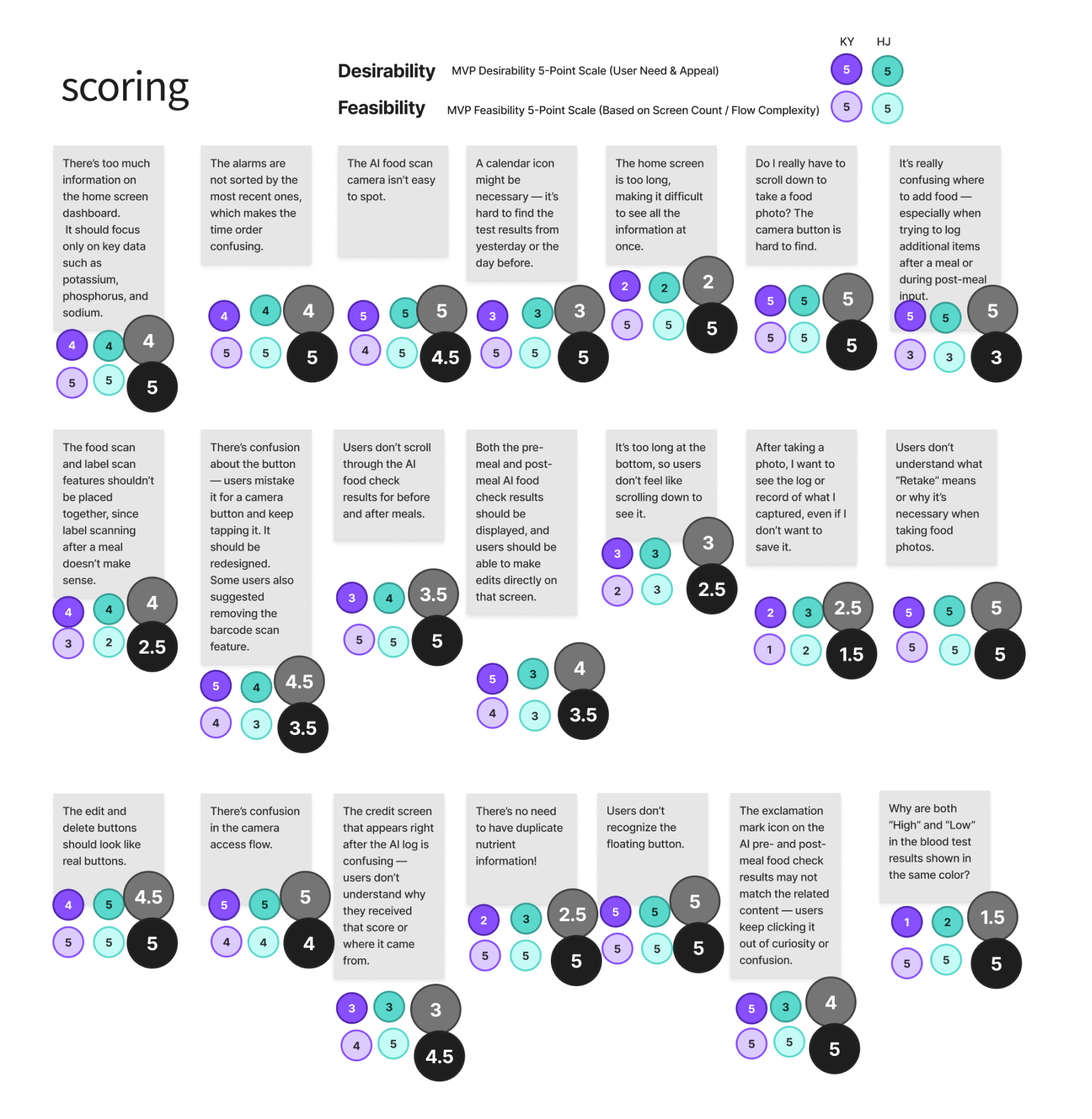
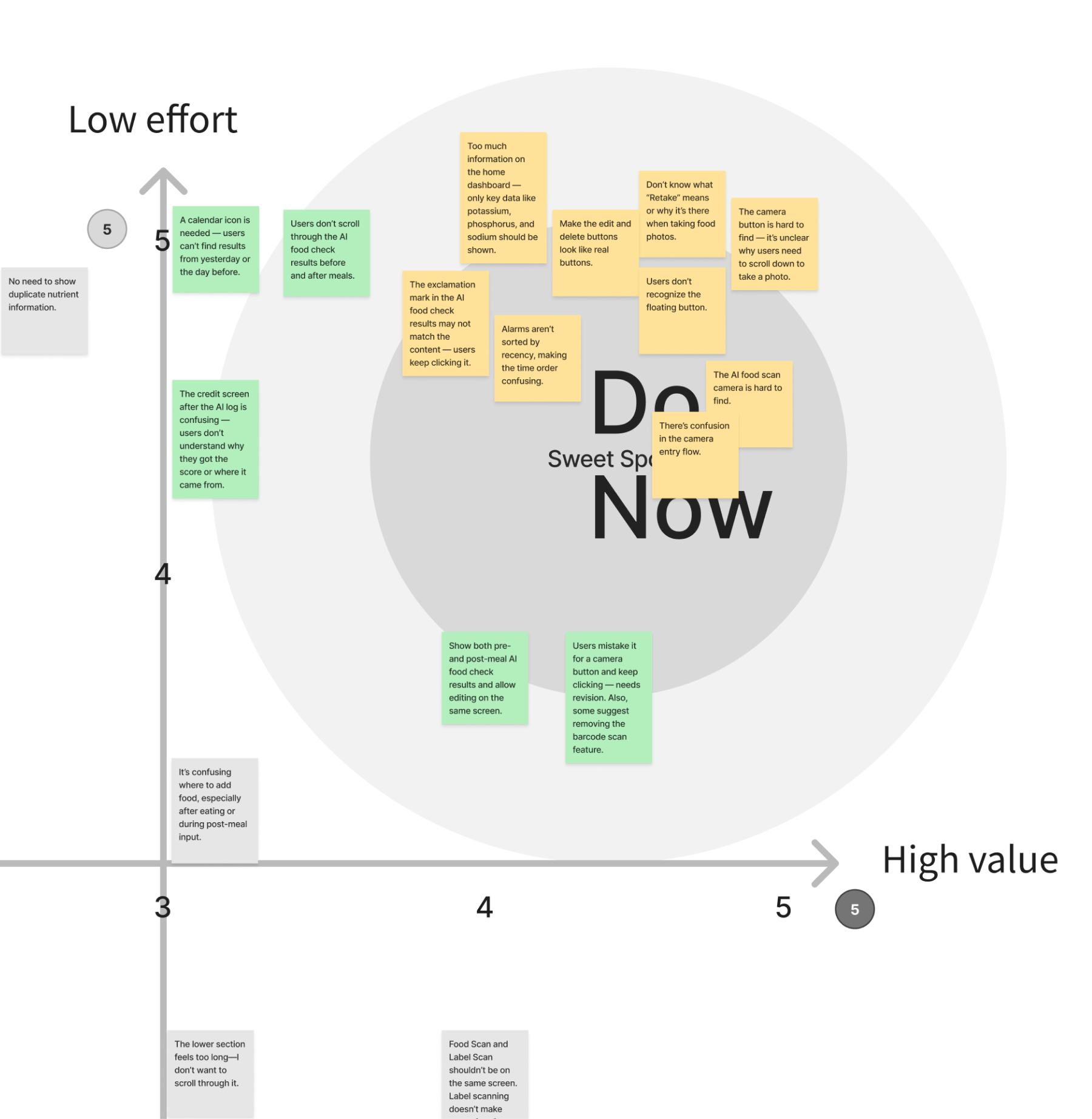
Prioritizing and Iterating on MVP Issues Using a 2×2 Matrix
To improve MVP usability, we prioritized key user-testing issues using a 2×2 impact–effort matrix, iterated on home alerts, dashboard visualization, and the food scanner flow, and confirmed the need for ongoing validation.
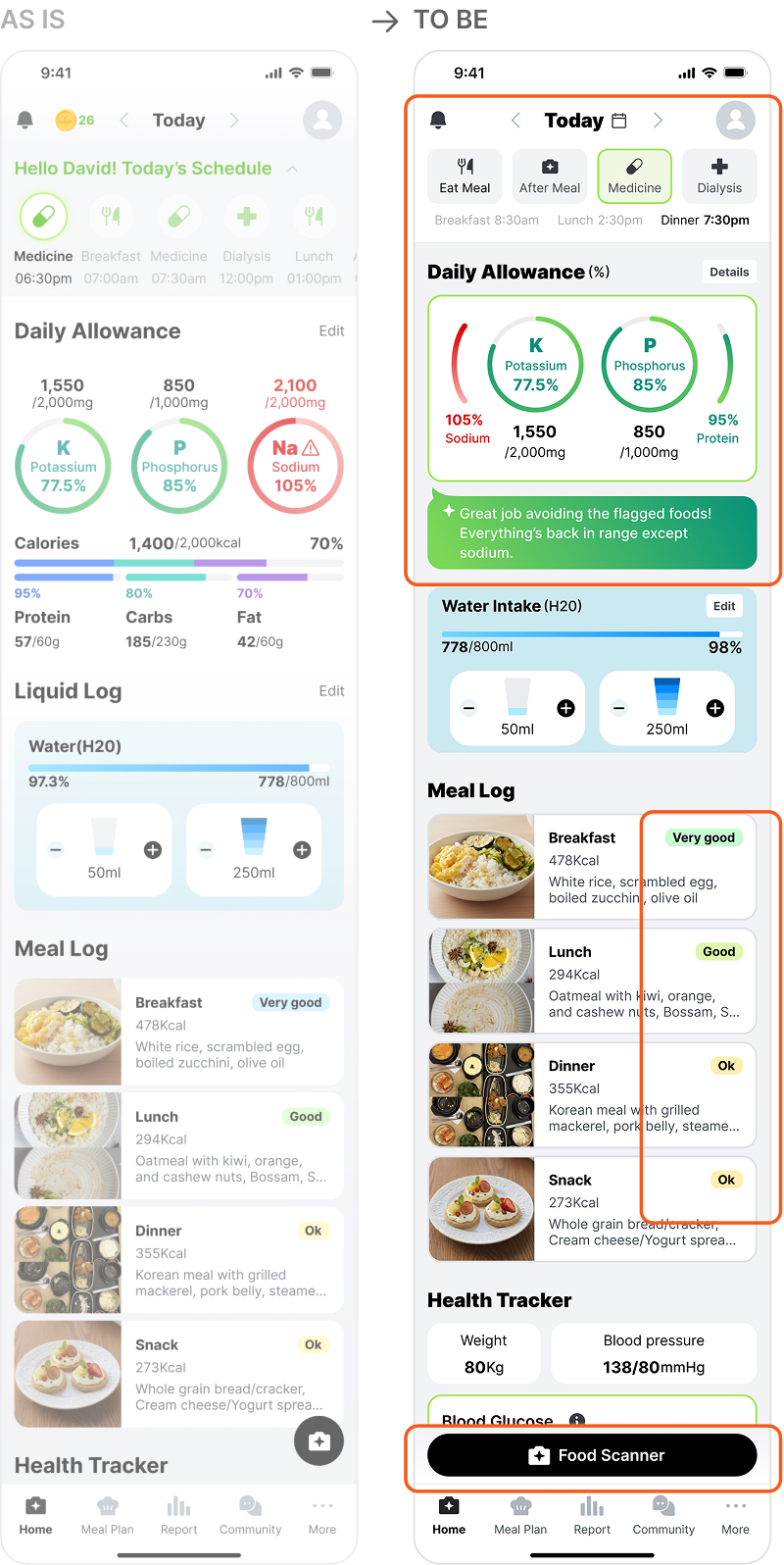
Home dashboard & alarm
The dashboard was simplified to show key kidney nutrients using green for normal and red for risk, with improved alerts.
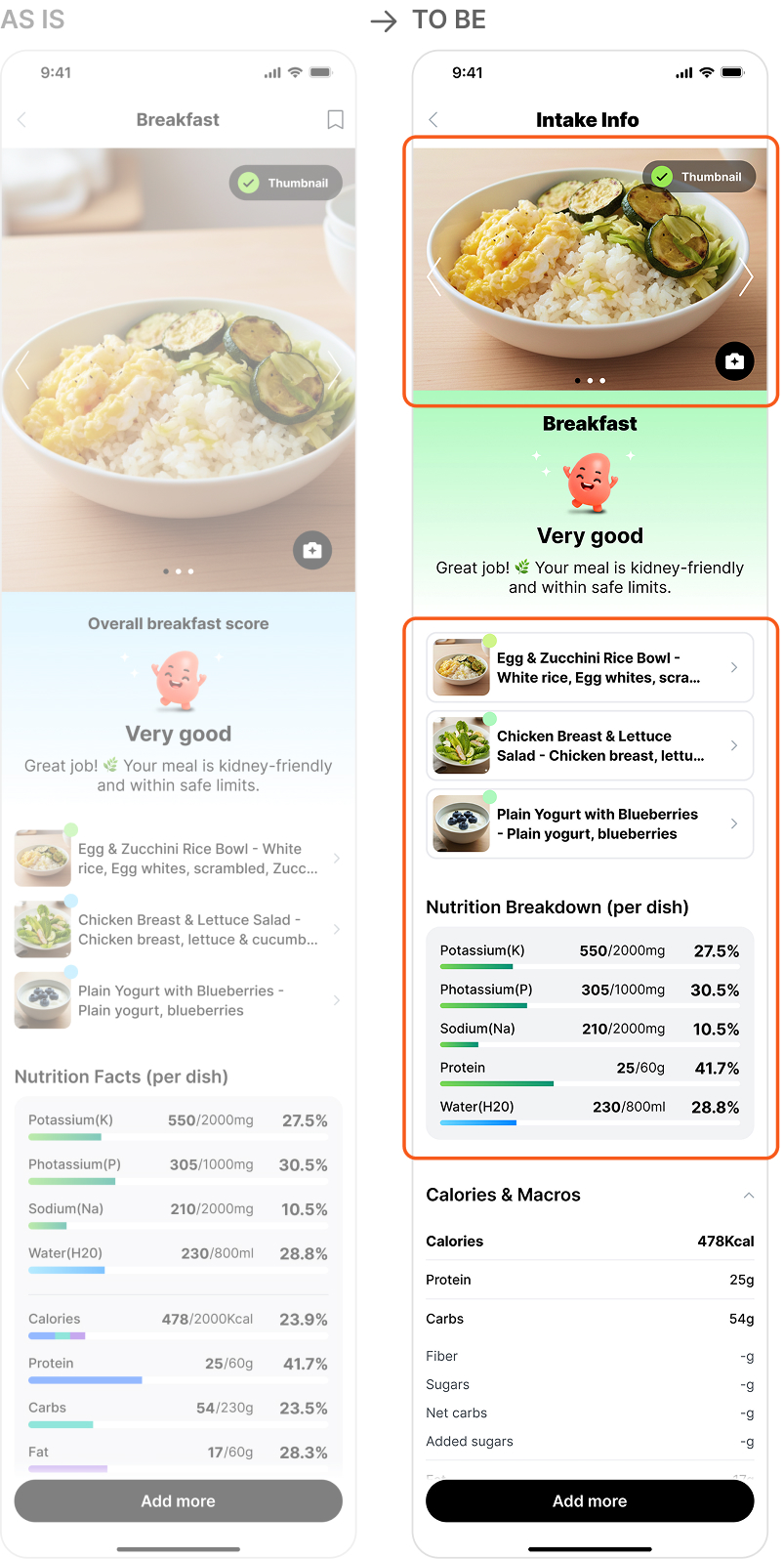
Intake info (when eating multiple foods over time)
The nutrient intake page was improved for clarity by reducing header space and enhancing button affordance.
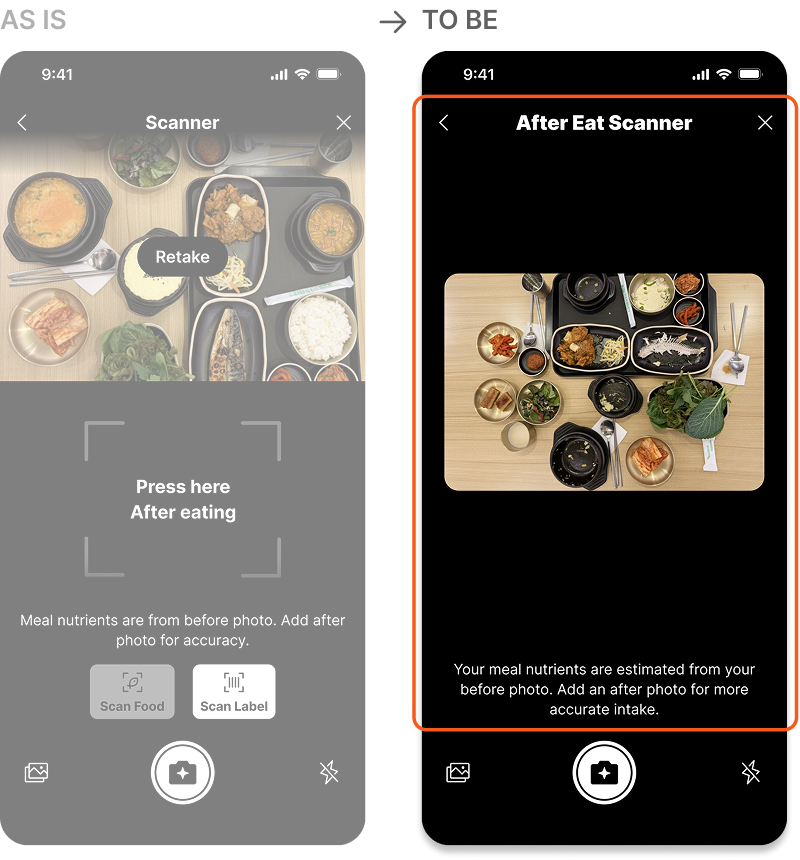
After eat scanner camera mode
Combining food and barcode scanning in the camera caused cognitive overload, so we simplified it to a single core function.
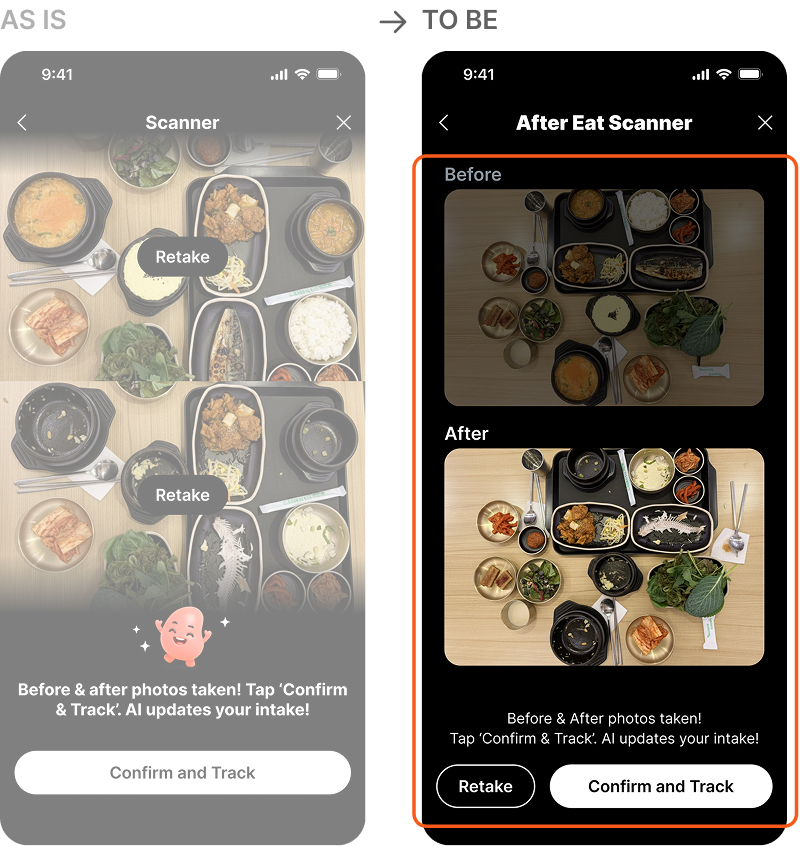
After eat scanner before confirm
The post-meal screen shows before-and-after photos together, removing the unnecessary retake button to reduce confusion.
Screens updated through post-usability-test iteration
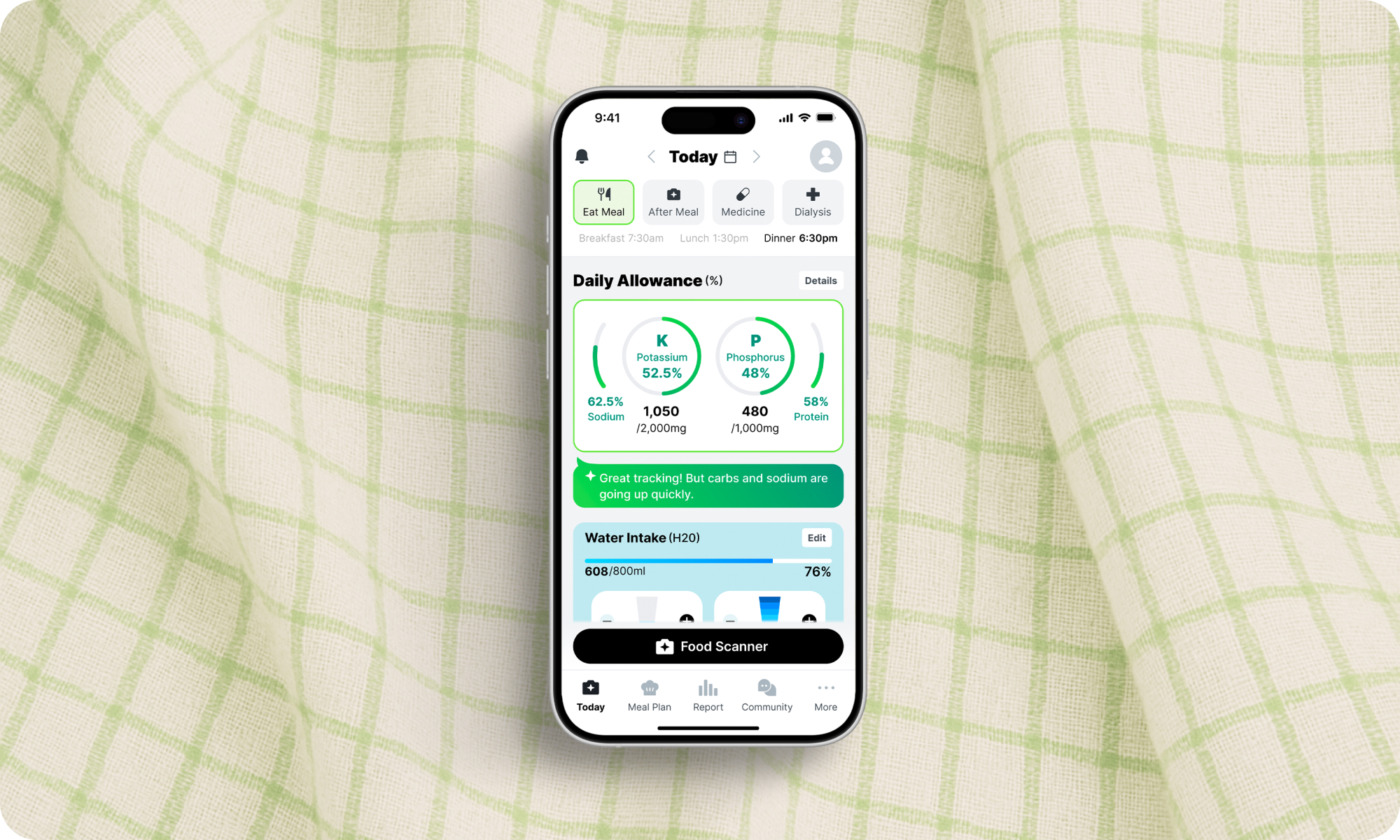
Reflection
Clarity Over Information Density
Usability testing showed that too much information causes cognitive overload, while prioritizing essential content creates a clearer, more usable experience.
Design Beyond Assumptions
Observing real user behavior revealed interaction issues beyond our assumptions, reinforcing that testing and iteration are essential for usability, especially for older users.
Let’s work together

Let’s create something amazing together!

Let’s work together
Let’s create something amazing together!
Let’s work together
Let’s create something amazing together!
Let’s work together
Let’s create something amazing together!

I’m currently open to full-time opportunities!
Want to get in touch? I’d love to connect with you!
Copyright © 2026 Jenna Park